
Skip to content
ExploreProductsGuidesESStart
SONORYN ENGINEConfigure your setup once and SONORYN will check every product for your case.
Configure setup

AUDIO / QUICK REFERENCE

Loopback for streaming: identify sources and returns

Computer audio needs a defined route, not only a checkbox.

Loopback for streaming: identify sources and returns

Computer audio needs a defined route, not only a checkbox.

QUICK ANSWER

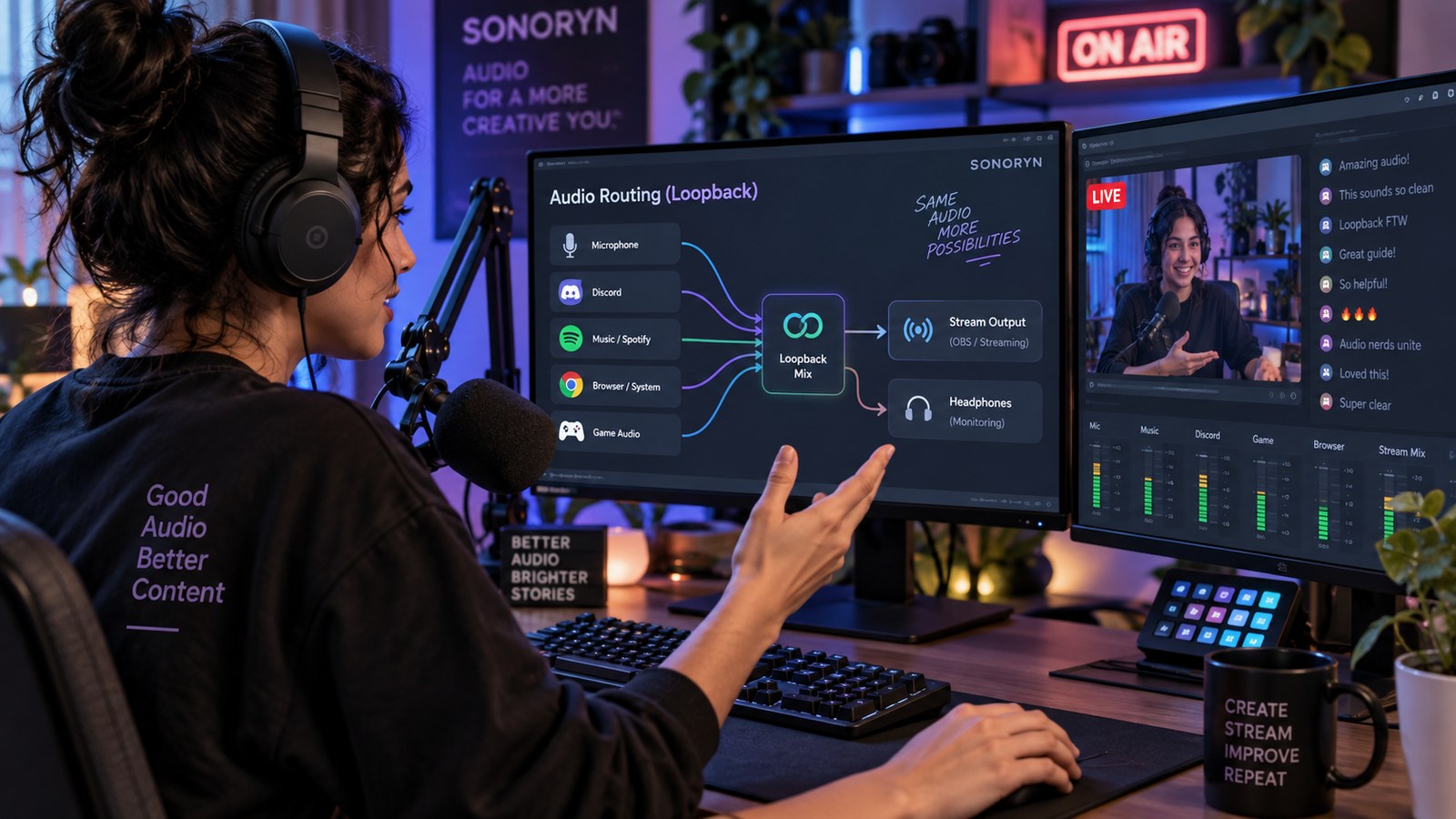
Loopback lets computer playback or a software mix feed another application. For streaming, define what the stream hears, what a remote guest hears, and what must not be returned to avoid feedback loops.

ADAPT THIS GUIDE

Build loopback around your stream

Loopback is routing, not a new source. Define what goes to the stream, what a remote guest hears and what must be excluded to avoid returns.

0 / 4 decisions
What computer audio must reach the stream?
Is there a remote guest or call?
What do you want in your headphones?
Do you currently have echo or duplicated audio?

List every source

Microphone, game or browser audio, call audio and music may each need a place in the stream or recording.

Check what loopback actually captures

Different interfaces expose different loopback channels and software controls. Use the exact model documentation.

Avoid feedback paths

A return sent back into the same call or application can create an echo/feedback loop. Test with low levels before going live.

Your room, your gear and your budget. Check them together.

Find your setup